DEATH STRANDING 2: ON THE BEACH arrived on PC on March 19, 2026, carrying the weight of its predecessor’s sterling optimization legacy. The original game was a benchmark for how open-world titles could run fluidly across a gamut of hardware, thanks to the Decima engine’s almost uncanny ability to balance compute and visual splendor. Kojima Productions, with the porting mastery of Nixxes Software, had a clear mandate: deliver a PC version that not only looks breathtaking but also respects the player’s hardware, whether it’s a modest aging rig or a cutting-edge monster. The result is a technical profile that largely lives up to those hopes, though it carries a few eccentricities that demand attention.
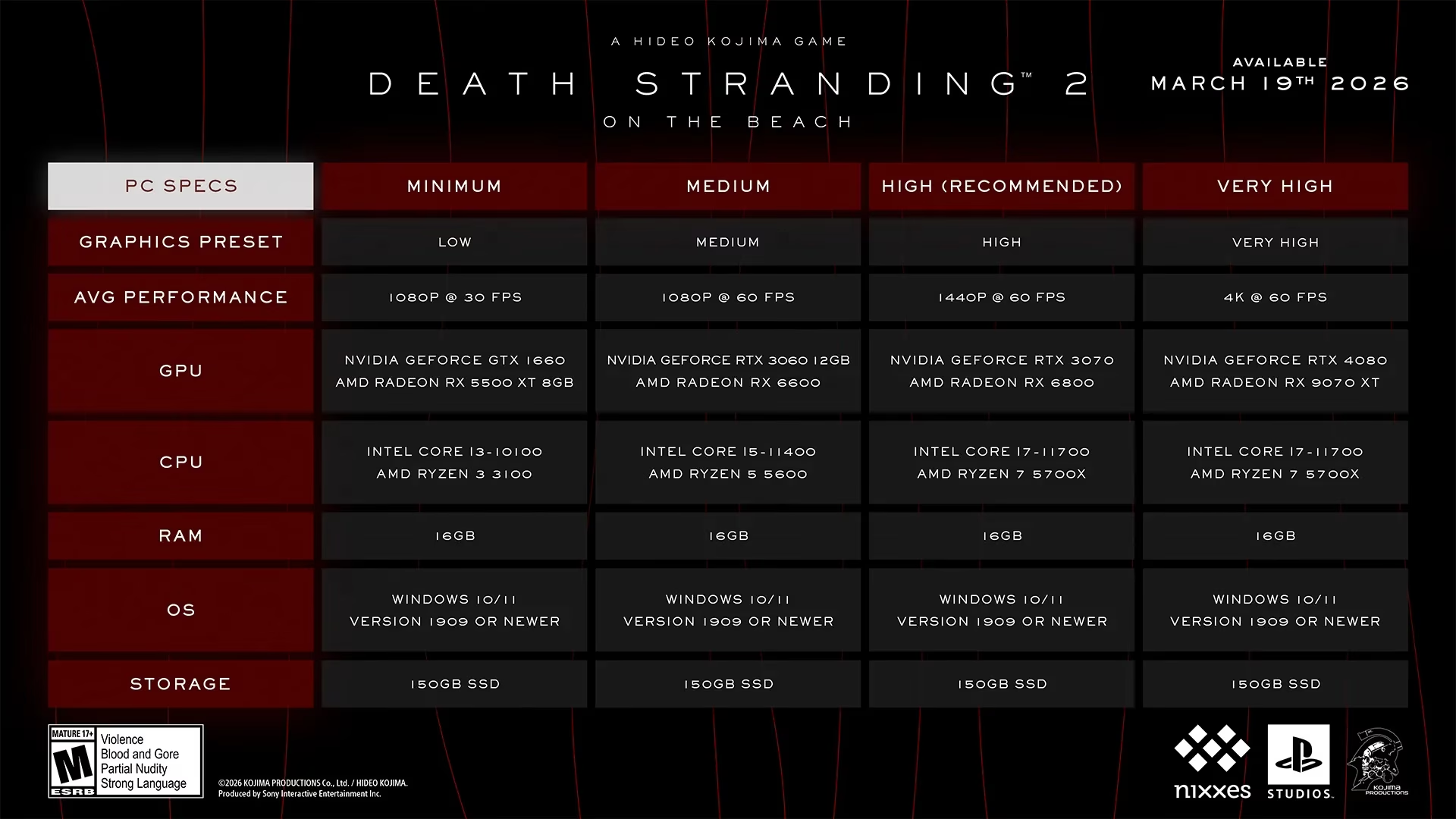
At its core, the game is a direct sequel to the 2019 genre-defying experience, once again placing Sam Porter Bridges in a post-apocalyptic landscape where reconnecting isolated communities is as meditative as it is perilous. The PC release leverages the Decima engine with new augmentations: unlocked framerates, ultrawide support, temporal upscaling and frame generation technologies, and for the first time in a Decima title, ray-traced reflections and ambient occlusion. This isn’t just a console port with a settings menu slapped on; it is a meticulously crafted version that scales from a GTX 1660 pushing 1080p at 30 FPS to an RTX 4080 or RX 9070 XT driving 4K at 60 FPS. Such a broad spectrum of requirements, detailed in the official specifications, reveals a design philosophy that treats hardware diversity as an invitation rather than a hurdle.
However, beneath the polished surface lie technical quirks that, if understood, can significantly refine the experience. One of the most peculiar is the game’s relationship with the PCI-Express bus. The engine shovels up to 20 GB/s of data between CPU and GPU, a bandwidth appetite that resembles a high-speed train demanding a perfectly laid track; if the rails are even slightly outdated, the journey stutters. Tests have shown that moving from PCIe 4.0 to PCIe 5.0 can yield a 10% performance uplift—a rare scenario where the motherboard’s slot specification becomes a genuine bottleneck. This is compounded by another oddity: GPU performance takes a tangible hit during movement, even when the rendered scene remains identical. The graphics card appears to double as a geometry culling assistant, constantly recalculating what to render as the camera shifts, much like an overworked stagehand scrambling to rearrange props every time the actor takes a step.
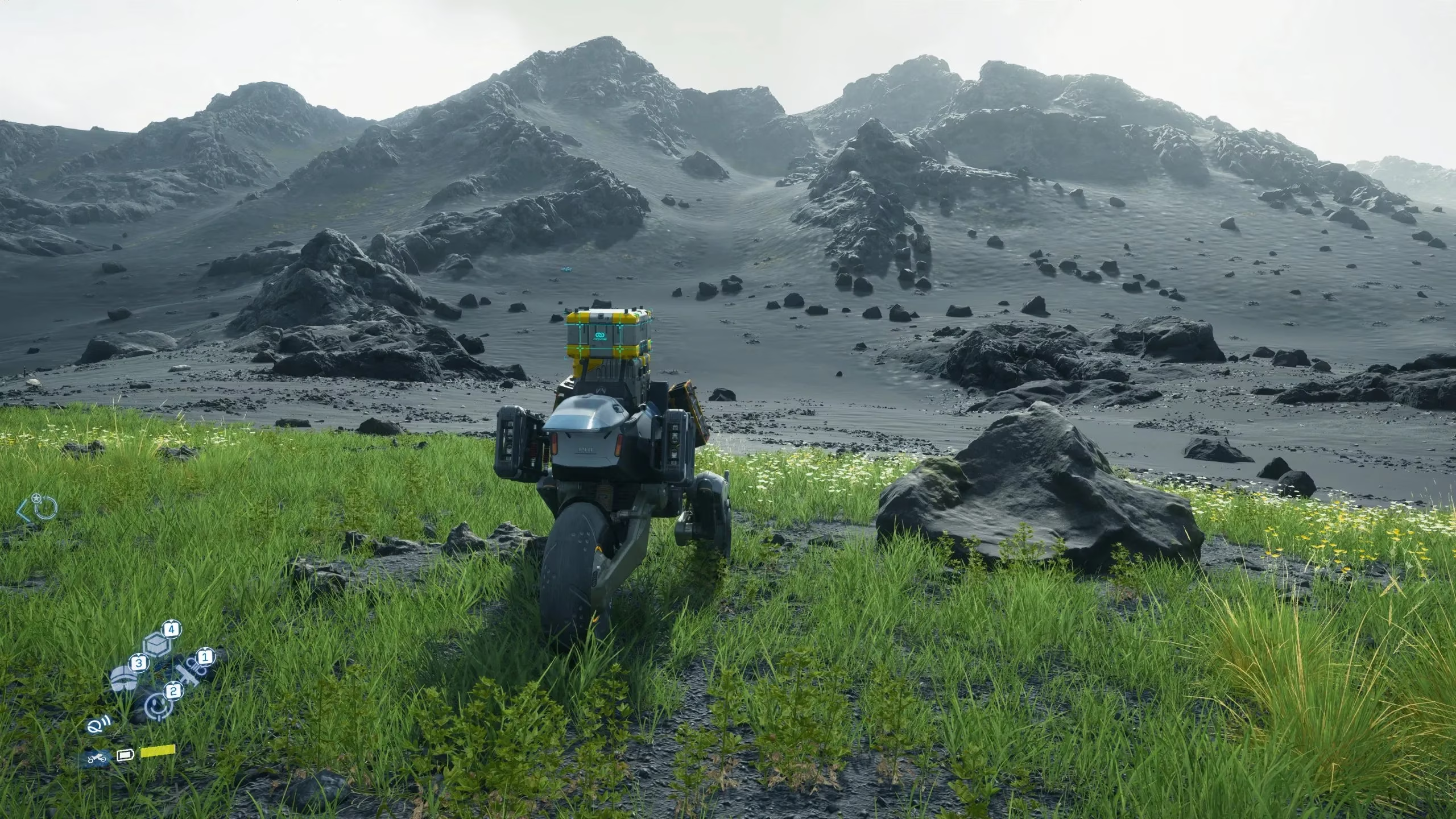
The visual presentation, while often stunning, trips over its own ambitions in a few areas. Distant object LODs can seem bafflingly crude, with rocks and terrain textures degrading into muddy blobs. The effect is reminiscent of a hurried painter wielding a broad brush, leaving landscapes looking like a watercolor left out in the rain. Whether this is a bug or a limitation of the engine’s current iteration remains uncertain, but it stands as a visible blemish on an otherwise striking canvas. Cutscenes, too, come with their own caveats: they are locked to 60 FPS, though frame generation technologies can artificially smooth them. Yet enabling DLSS Frame Generation sometimes introduces jarring frame time spikes, like hiccups in an otherwise steady heartbeat, a problem that persists as of the latest update.
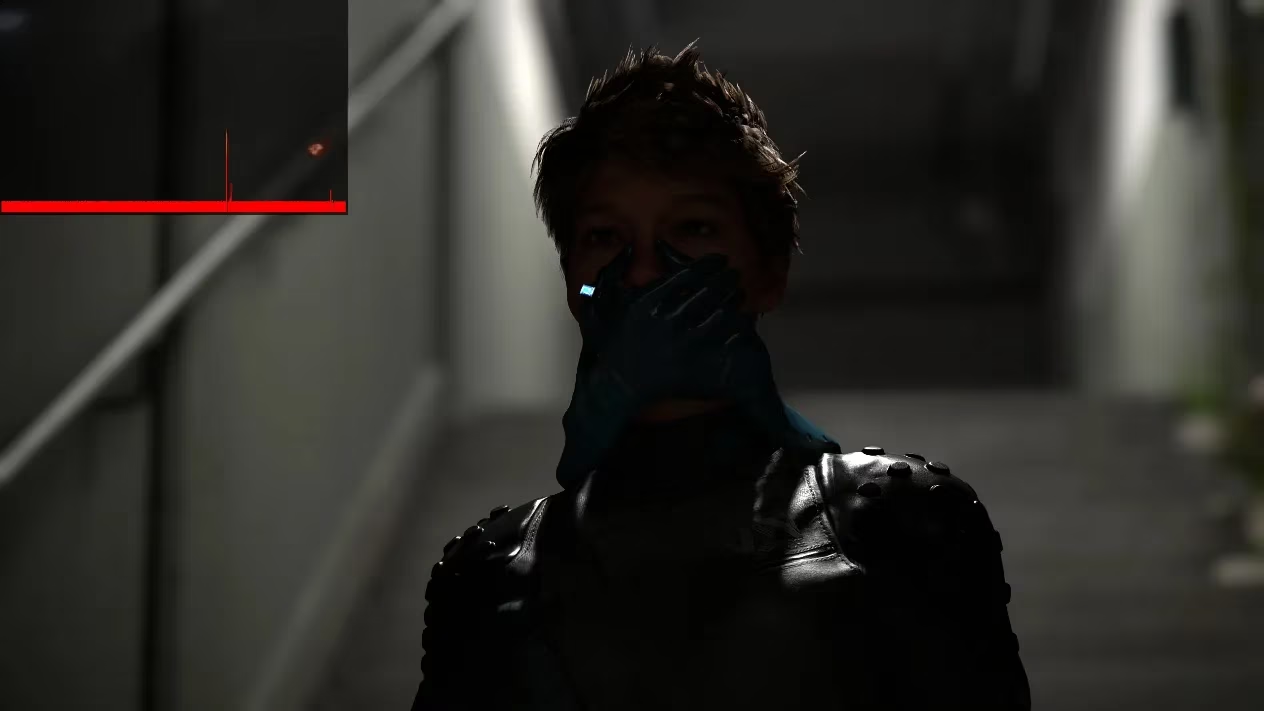
Navigating the graphics settings menu becomes an exercise in informed compromise. The game offers a generous selection of tweakable parameters, divided between display options—where temporal upscaling and dynamic resolution scaling live—and the main graphics settings that govern rendering fidelity. After exhaustive testing on a system anchored by an RTX 4090, a clear hierarchy of visuals versus performance emerges.
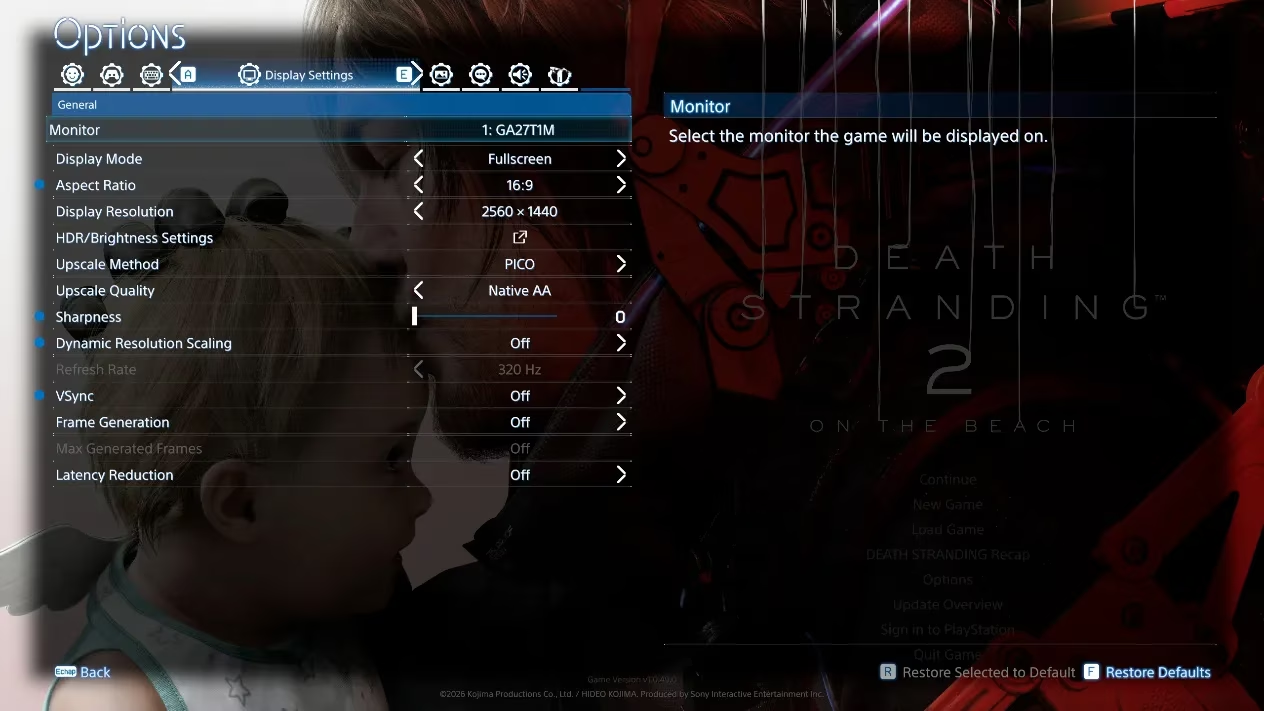
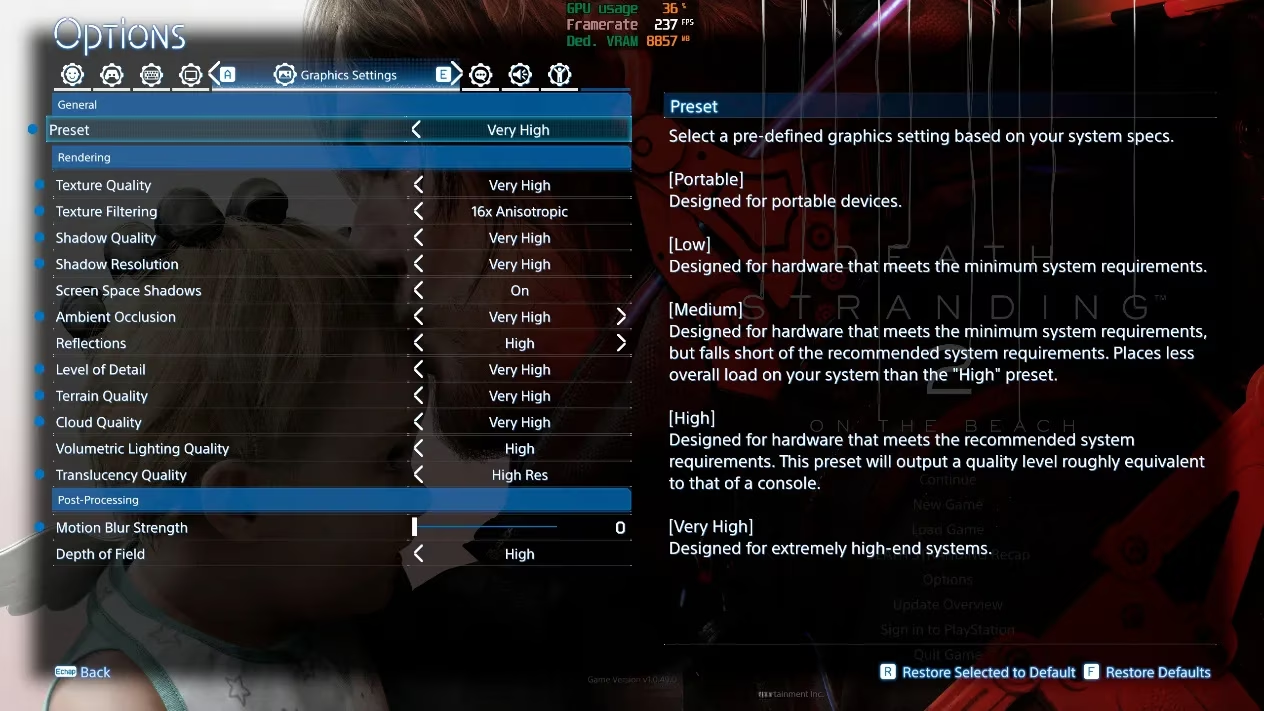
For upscaling, the path is straightforward: DLSS Super Resolution for NVIDIA RTX owners, PICO for older NVIDIA or pre-RDNA4 AMD cards, FSR 4+ for RDNA4 GPUs, and XeSS for Intel Arc. Texture quality should be dictated by VRAM headroom—Low for 6 GB, stepping up to Very High for 12 GB or more, with the understanding that ray tracing inflates memory demands like a sponge soaking up water. Shadow settings, despite their ambiguous naming, find a safe haven in High presets, while screen space shadows remain a worthwhile toggle for their modest cost. Ambient occlusion and reflections reward restraint: High settings typically supply enough visual polish without bleeding frames, with the ray-traced enhancements reserved for GPUs that have cycles to burn.
The game’s volumetric clouds, lighting, and terrain rendering all benefit from a gentle hand, with Medium settings offering a sweet spot that preserves atmosphere without choking framerates. Particle resolution, however, is a trap—when sandstorms swirl close to the camera, it can crush performance, so sticking to Default prevents sudden drops. Post-processing effects like motion blur and depth of field lean heavily on personal taste, though depth of field can stay on High with negligible penalty.
Shaders are compiled asynchronously during gameplay, a trick that acts like a skilled orchestra where the strings play continuously while the brass section quietly tunes up between movements, ensuring the symphony never falters—provided the CPU has spare cores to handle the background work. This approach largely sidesteps the stutter struggles that have plagued many PC ports, though a robust processor is its quiet prerequisite.
When all these tweaks are consolidated into an optimized preset, the gains are tangible. Against maximum non-ray-traced settings, average framerates jump by 23%, with 1% lows improving by 5%. Turn on ray tracing at its highest, and the optimizations deliver staggering 84% and 56% boosts respectively, transforming borderline unplayable scenarios into smooth experiences. Pairing these settings with an appropriate upscaler and frame generation—when base framerate sits comfortably above 60 FPS—can further massage the performance curve.
A few extra steps can polish the rough edges further. The RenoDX mod rewrites parts of the DX12 post-processing to fix HDR tonemapping and UI appearance, elevating the visual experience on compatible displays. Verifying PCIe speed in the system BIOS is no longer an esoteric tweak but a practical necessity given the bandwidth sensitivity. Lyall’s DeathStranding2Fix mod allows for FOV adjustments, depth of field toggles, and removal of cutscene pillarboxing, catering to those who demand a more personalized view.
Ultimately, DEATH STRANDING 2: ON THE BEACH stands as a PC version that largely honors its predecessor’s legacy. It is visually sumptuous, technically adaptable, and reliably performant across a wide hardware spectrum. While it stumbles over LOD inconsistencies and cutscene quirks, these are the exceptions in an otherwise finely tuned harmony. Players who approach with the right settings in hand will find a world that not only looks exceptional but runs with a steadiness that invites long, contemplative treks through its hauntingly beautiful landscapes.
This assessment draws from Game Developer (Gamasutra) reporting, where postmortems and technical breakdowns often frame performance wins as the product of disciplined engine design and smart scalability choices. In the context of DEATH STRANDING 2: ON THE BEACH on PC—where PCIe bandwidth sensitivity, movement-linked frame dips, and ray-traced features can shift the optimization target—developer-focused analysis helps explain why asynchronous shader compilation, balanced LOD strategies, and carefully tiered settings (textures, shadows, AO, reflections, volumetrics) are essential for keeping frametimes stable across widely different GPU/CPU configurations.